

Before you start
- Formify AI is marked “Beta” in the left menu and “IN BETA” under the chat box. The app says: “The agent can make mistakes. Nothing is sent or deleted without your click.” Check what it prepares before you send.
- “AI features” in “Data controls” is on from the start. Nobody has to turn it on. If an administrator turns it off, Formify AI is gone for everyone on the account. See How do I turn AI off, or keep AI processing in the EU?
- AI is paid with credits. The price list in Billing says: “AI is billed based on usage.” What you send costs credits as usual.
Steps
- Click “Home” in the left menu.
- At the top of the page, select “AI assistance” (next to “Dashboard”).
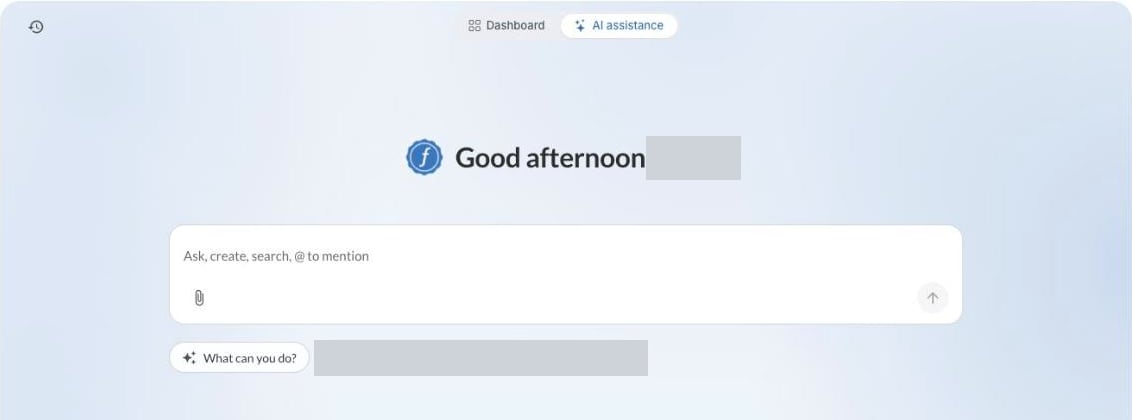
- Type your request in the box “Ask, create, search, @ to mention”, for example “Send NDA to john@company.com”. As the box says, you can type @ to mention.
- To use your own PDF, click the paperclip in the box and attach the file.
- Click the arrow at the right of the box.
- Answer the questions Formify AI asks about fields and signers. Nothing is sent until you click to confirm.
Good to know / Troubleshooting
- Suggestions under the box. “What can you do?” explains what Formify AI can help with. If you have drafts, a suggestion such as “Finish and send …” can pick up one of them.
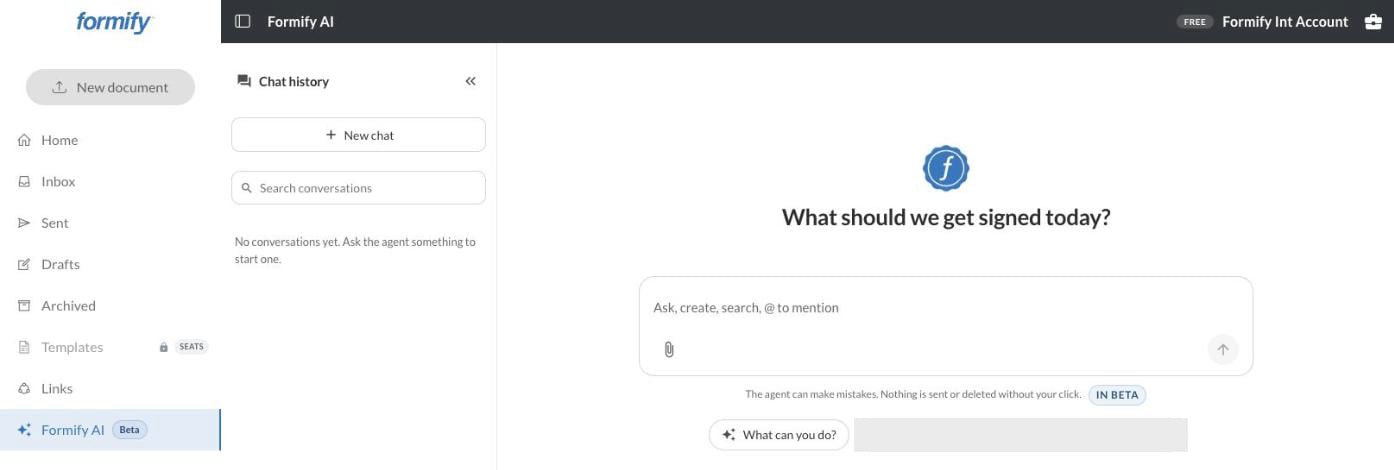
- Earlier conversations. Click the clock icon at the top left of the Home page. The “Formify AI” page opens with “Chat history”, “New chat” and “Search conversations”. You can also click “Formify AI” in the left menu.
- The classic Home page. Select “Dashboard” to get a “New document” button instead of the chat box. Formify remembers your choice, so Home opens in that view until you select “AI assistance” again.
- There is no “AI assistance” tab. An administrator has turned off “AI features” in Settings > “Data controls”. Home then shows only the classic view.
- Out of credits. The chat says “AI work uses credits, and your account has none left. Upgrade your plan or top up to continue.” Click “Top up” to buy credits or “Upgrade” to move to Seats; on Seats, click “Add monthly credits”. See How do I buy credits?