

Before you start
- “AI features” must be on, and “EU-only AI processing” must be off, in Settings > “Data controls”. The AI assistant for signers is unavailable while EU-only AI processing is on.
- The assistant uses credits. Under “Transactions” in Billing, preparing the document shows as “AI document indexing” and the assistant’s replies as “AI Assistant (document chat)”.
- The assistant works on documents of up to 50 pages. You add it to a document or draft; the template editor has no “AI Assistant” button.
Steps
- Open your document in the editor (for example from “Drafts”, with the pen icon “Edit draft”).
- Click “AI Assistant” at the top right of the editor.
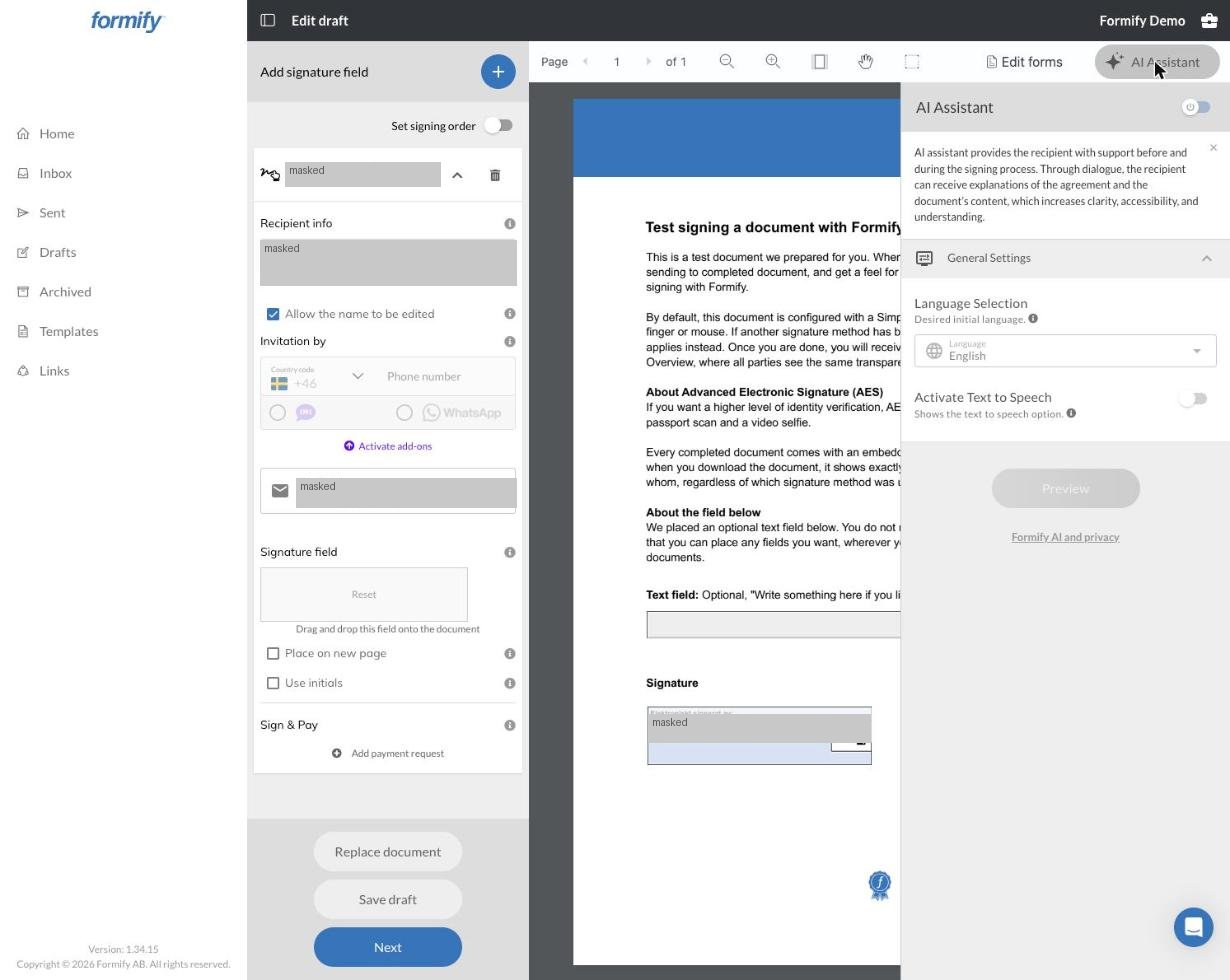
- Turn on the switch at the top right of the “AI Assistant” panel.
- Under “General Settings”, choose the assistant’s first language in “Language Selection”.
- Turn on “Activate Text to Speech” if the signer should be able to listen to the answers.
- Click “Preview” to see the assistant before you send. Formify first saves the document and prepares it for the assistant, which can take a couple of minutes. Then click “Open Preview”. “Preview” is gray while the switch is off.
- Click “AI Assistant” again to close the panel, and send the document as usual.
Good to know / Troubleshooting
- “Preview” is gray. The switch for the assistant is off.
- The switch cannot be turned on. The document has more than 50 pages. The panel says “Too many pages for AI assistant”.
- The assistant is not available. Check “Data controls”: “EU-only AI processing” on, or “AI features” off, blocks it. Either one also switches the assistant off on documents you have already sent.
- Privacy. The panel links to “Formify AI and privacy”.